Have you ever needed to submit documents for an application or official procedure, such as your ID, a utility bill, and a signed form, only to find that each one is saved as a separate PDF file?
Sending three or four loose files via email looks untidy, and many job portals, universities, or government platforms provide only a single upload field. While various websites offer to combine files online, uploading bank statements, contracts, or identification documents to remote servers poses a serious privacy risk.
With PDF Engine, you can combine your documents directly on your Windows PC in seconds, securely and completely offline (without an internet connection).
PDF Engine Step-by-Step
-
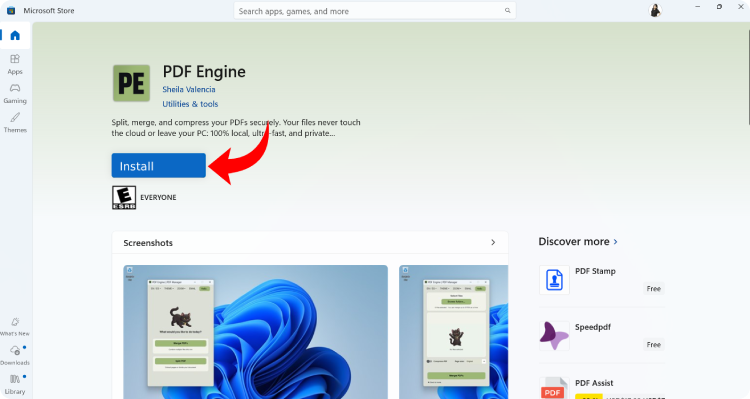
Install PDF Engine for free from the Microsoft Store.
-
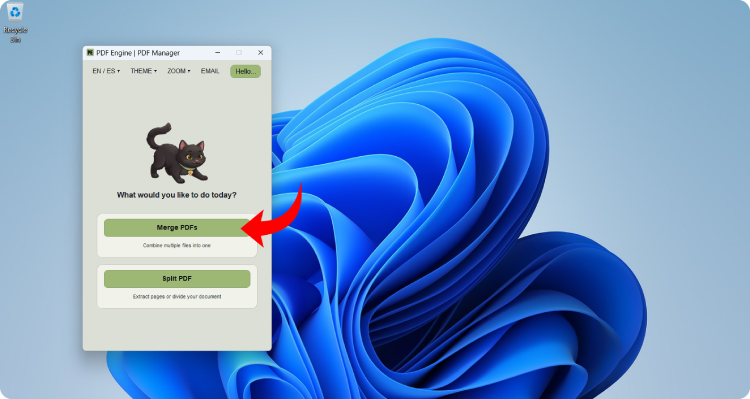
Open PDF Engine. You will see a welcome screen asking what you would like to do; click the Merge PDFs button (located under “Combine multiple files into one”).
-
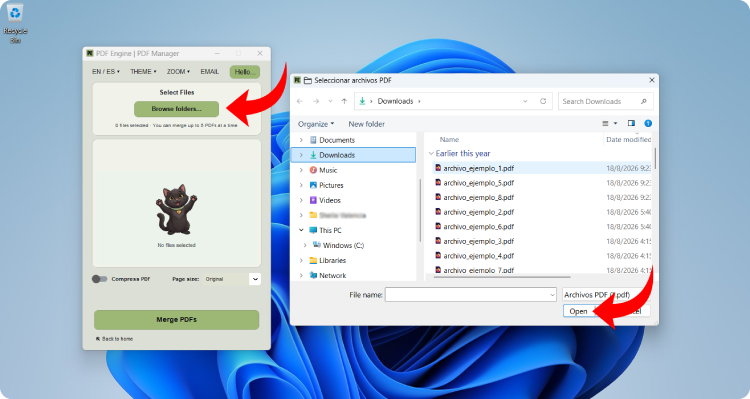
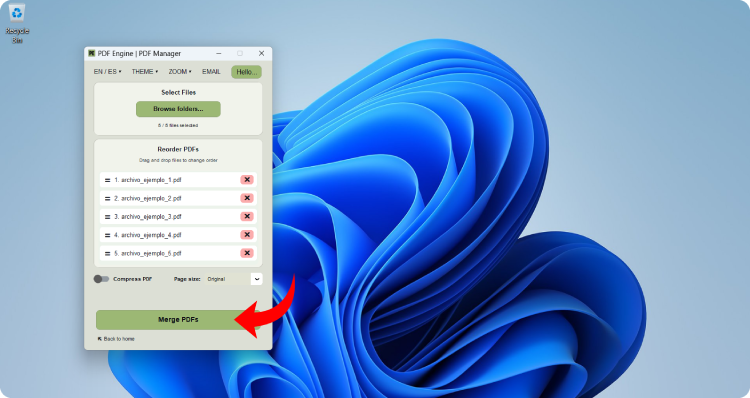
Click the Browse folders… button inside the first box. A file browser window will appear showing your computer’s folders; select each PDF file you need to combine, then click Open (you can select up to 5 files at a time).
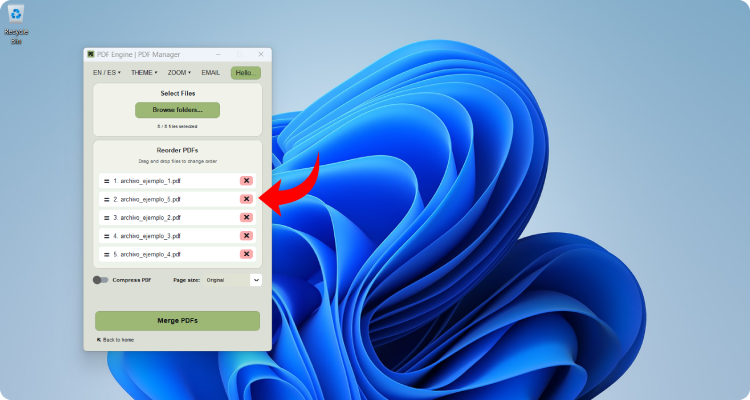
- Document order is essential when submitting official paperwork:
- Check the numbers shown beside each filename (
1.,2.,3.…). This is the exact order they will follow in the final document. - If a file is in the wrong position, simply click and drag it up or down to place it where you want.
- If you added an extra file by mistake, click the red ❌ button to its right to remove it from the list.
- Check the numbers shown beside each filename (
-
Once your files are in the exact order you need, click the large Merge PDFs button at the bottom. You will see a progress bar that completes the merge in just a couple of seconds.
- When the process finishes, a confirmation window will let you know everything is ready. Click the Open Folder button. Your default
Downloads/pdf_enginefolder will open immediately, containing your new file nameddocumento_unido.pdf. Double-click the file to verify that all pages are complete and in order.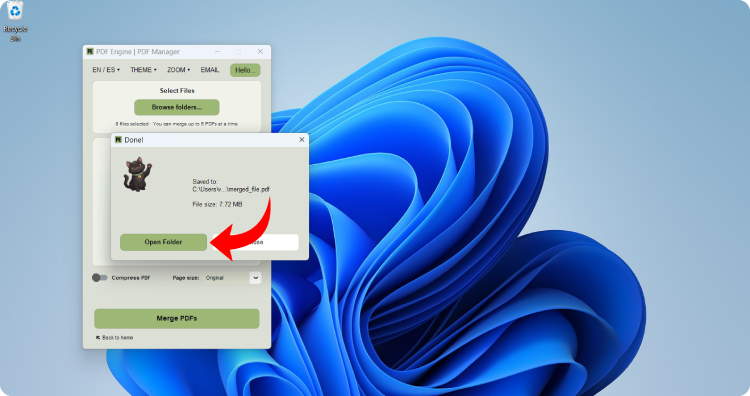
That’s it! Your documents are now assembled into a single file ready to send, no monthly subscriptions required, and no need to risk your private information online.