Reading long articles, study documents, or lengthy tutorials on a computer screen for hours on end causes eye strain and mental fatigue.
Often, it is much more comfortable to sit back, rest your eyes, and listen attentively to a paragraph, or replay a complex sentence out loud while taking notes. While full screen readers exist, many of them read out menus, ads, and unnecessary sidebars. Having instant text-to-speech for only the excerpt you need makes browsing much smoother and more efficient.
With the Reader Engine extension for Mozilla Firefox, all you need to do is select any text on a webpage to listen to it with natural pronunciation in a single click.
Use it on any webpage in Firefox
-
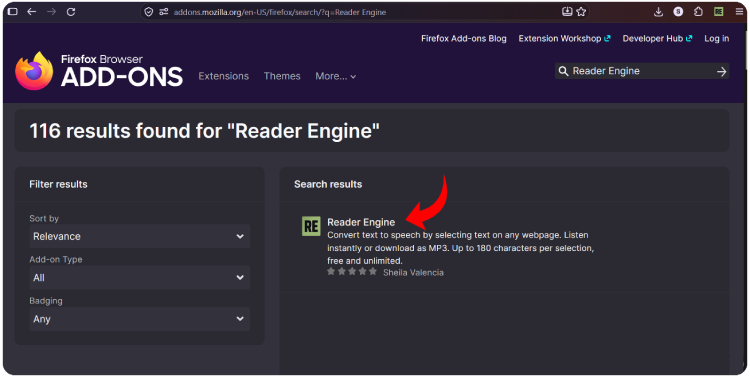
Install the Reader Engine extension in Firefox.
-
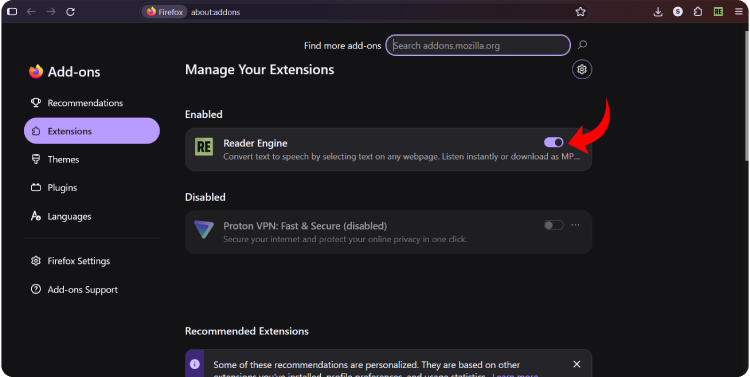
Enable the extension; it runs quietly in the background on any standard webpage, without requiring complicated configuration.
-
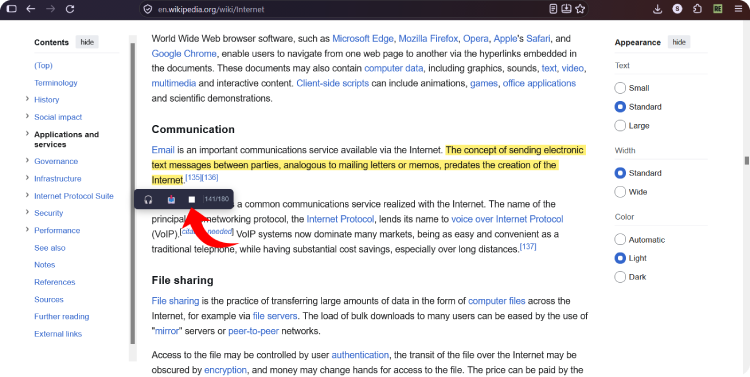
Open a blog article, news story, or guide in Firefox and use your mouse to select the word, sentence, or snippet you want to hear. The selected text will be highlighted in light yellow. As soon as you release the mouse button, a dark floating toolbar will appear just below the highlighted text. Notice the counter on the far right of the bar (for example,
141/180), which shows you the exact number of selected characters.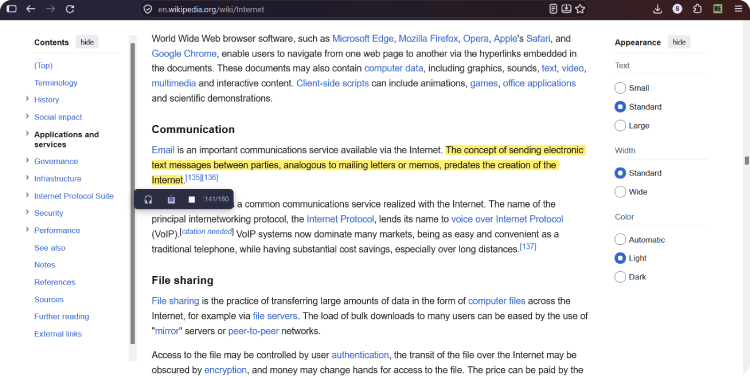
-
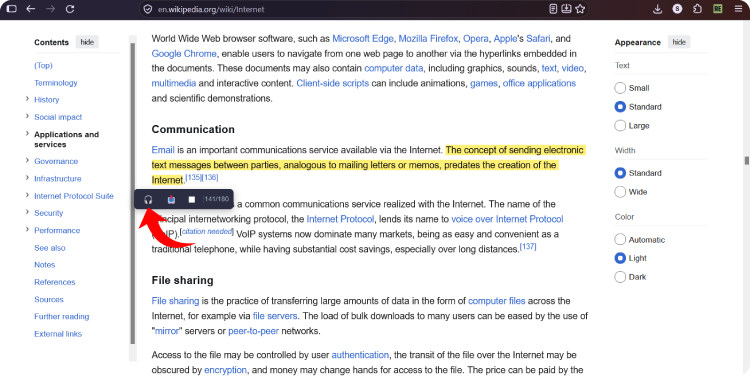
Click the headphone button to listen—the 🎧 (Play) icon on the floating toolbar. Reader Engine will instantly start reading the text aloud with a clear, well-articulated voice.
-
You have full control over the audio while browsing. To stop reading at any time: Click the ⏹ (Stop) button on the floating toolbar.
That’s it! You now have a fast reading tool built right into your browser whenever you need it.