Connecting external tools or desktop applications like Shop Engine to your Shopify store requires a secure, encrypted communication channel.
Instead of exposing your main Shopify account password, the platform uses Admin API Access Tokens. These private tokens function as independent digital keys: they grant read-only access strictly to the modules you authorize (such as products, customers, or orders), keeping your primary administrative account fully protected.
Follow this step-by-step guide to create a custom app in Shopify and obtain your private token in less than three minutes.
-
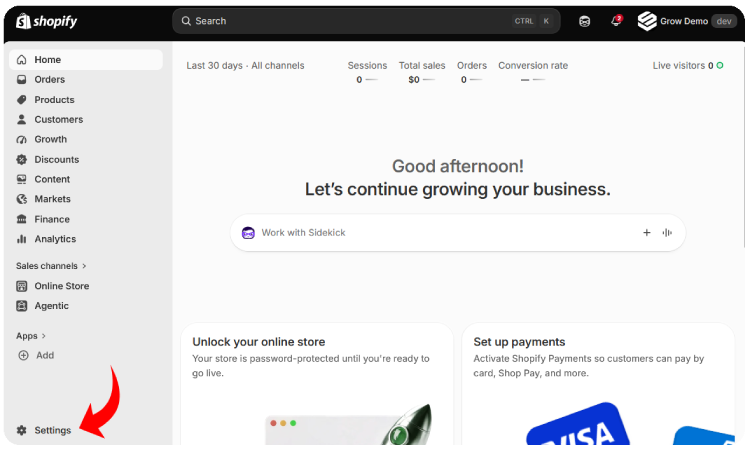
Log in to your Shopify store admin. In the lower-left corner of the sidebar, click Settings (⚙️).
-
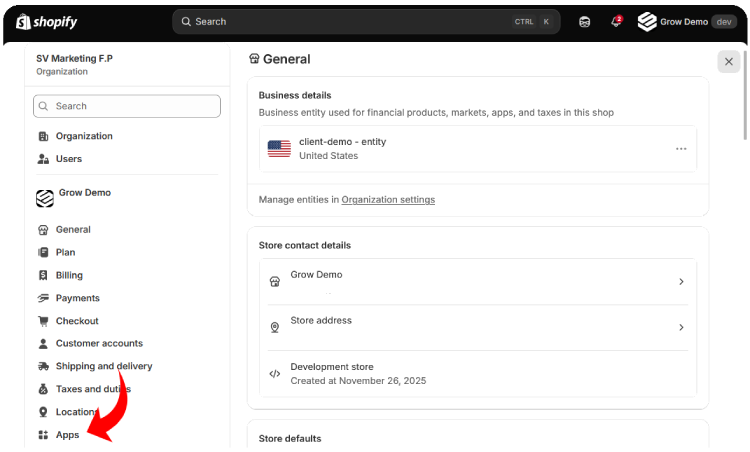
In the settings navigation menu, select Apps and sales channels (or Apps).
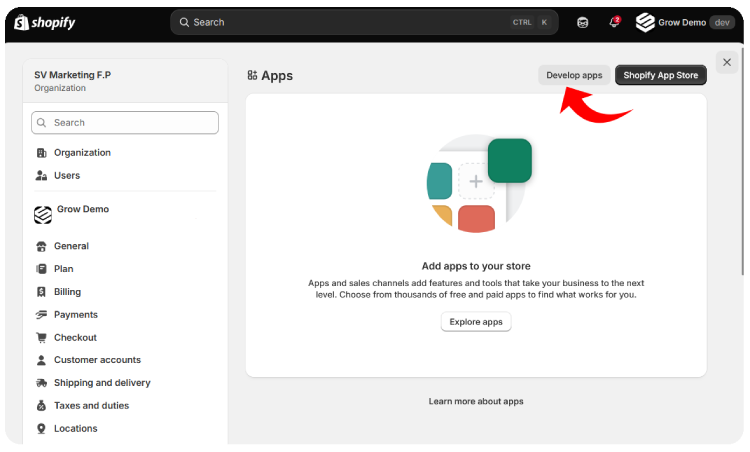
- In the top-right corner of the screen, click the Develop apps button.
Note: If this is the first time you are configuring custom apps in your store, click Allow custom app development and confirm your choice to unlock this section.
-
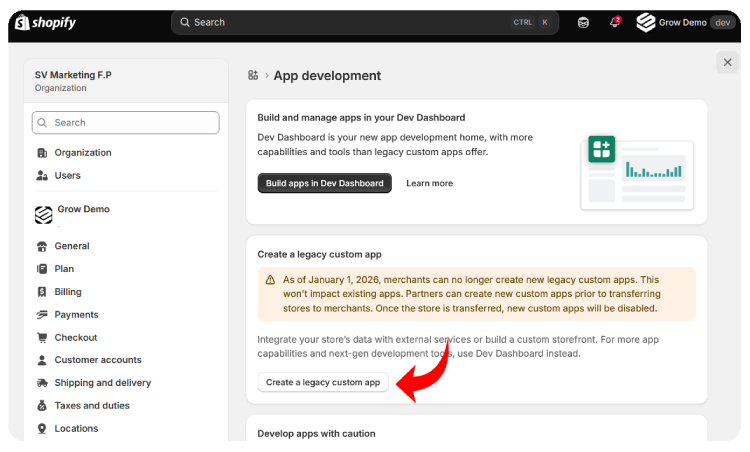
Click the green Create an app button.
- In the modal window:
- App name: Enter a descriptive name (for example,
Shop-Engine). - App developer: Select the store owner account from the dropdown menu.
- Click Create app.
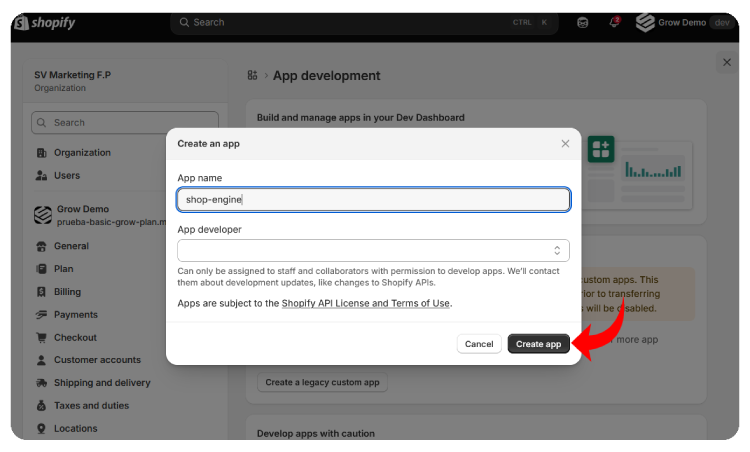
- App name: Enter a descriptive name (for example,
-
Click the Configuration tab:
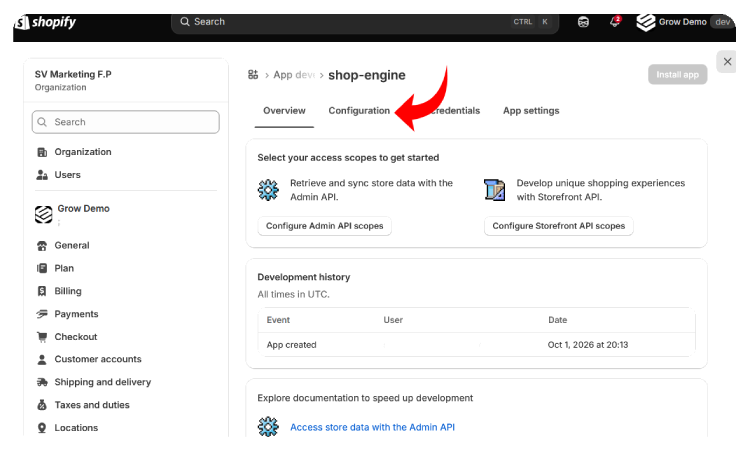
- Locate the Admin API integration section. To allow desktop tools (such as Shop Engine) to export clean reports to Excel, check the read-only (Read) permission box for each of these scopes:
read_products: For inventory lists and catalog auditing.read_inventory: For warehouse quantities and unit valuation costs.read_customers: For customer directory and marketing status.read_orders: For sales summary and line item breakdown.read_locations: To identify the names of your warehouses or locations.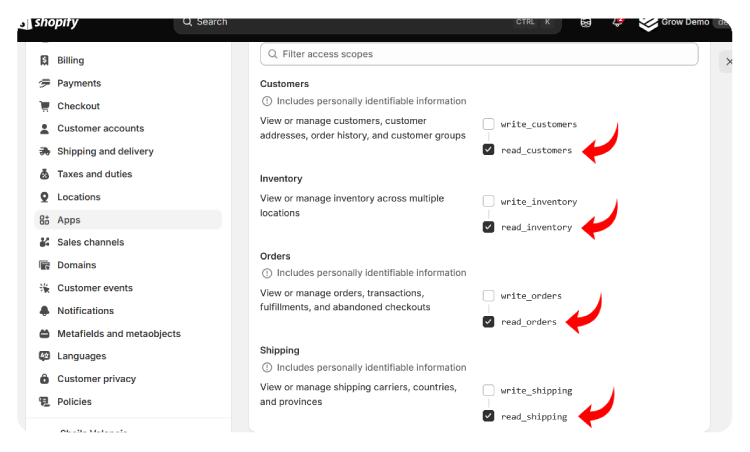
-
Scroll to the top or bottom of the screen and click Save.
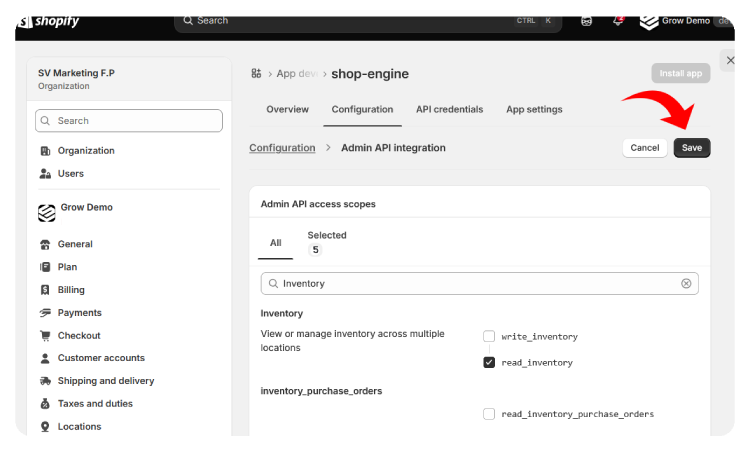
-
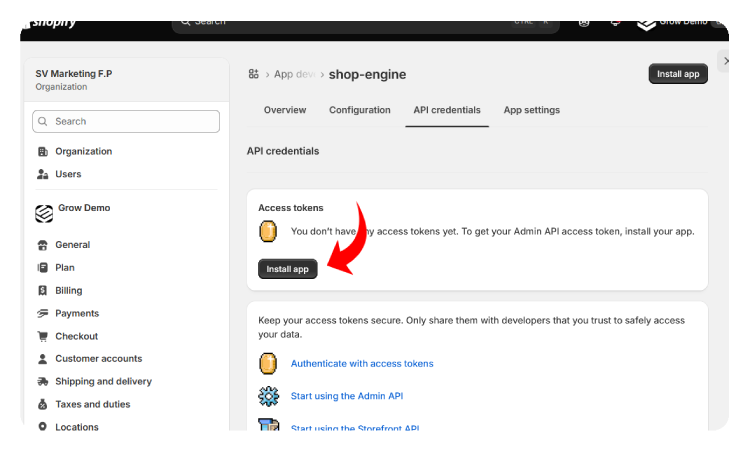
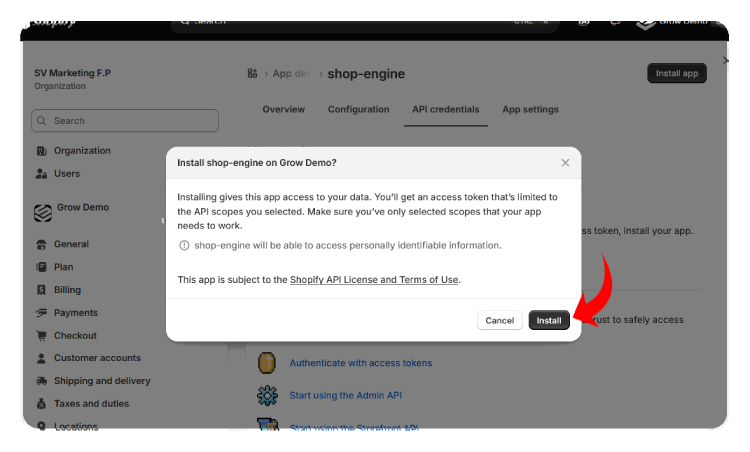
With your permissions saved, activate your credentials. Go to the API credentials tab or click the Install app button in the top bar, and confirm the action in the popup dialog.
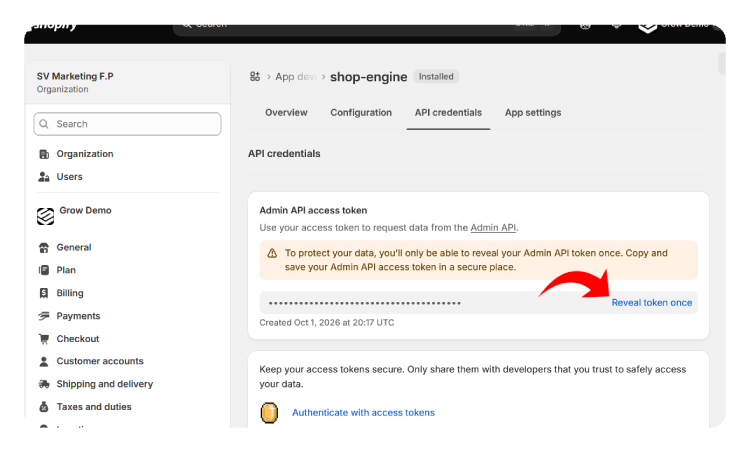
- In the Admin API access token section, click Reveal token once and click the Copy button to save your token (starts with the prefix
shpat_...).Security Notice: Shopify will only display this token once on screen. Copy it immediately and paste it into your application or a secure password manager. If you lose it, you can easily uninstall the app and create a new one.
- Ready to use your token? Follow our tutorial on How to Configure Shop Engine to connect your store.